# Editor text Div Container Manager
**URL:** https://forums.concretecms.org/t/editor-text-div-container-manager/9533
**Category:** Using Concrete / Help
**Tags:** ckeditor
**Created:** [October 20, 2025, 9:48pm UTC](https://forums.concretecms.org/t/editor-text-div-container-manager/9533 "2025-10-20T21:48:10Z")
**Posts on this page:** 4
**Page:** 1
### Author:  [@ricc3](https://forums.concretecms.org/u/ricc3)
#### Post date: [October 20, 2025, 9:48pm UTC](https://forums.concretecms.org/t/editor-text-div-container-manager/9533/1 "2025-10-20T21:48:10Z")
Hello,
How can I make CKEditor, or Composer if you prefer, show me Div Container Manager styles when creating?
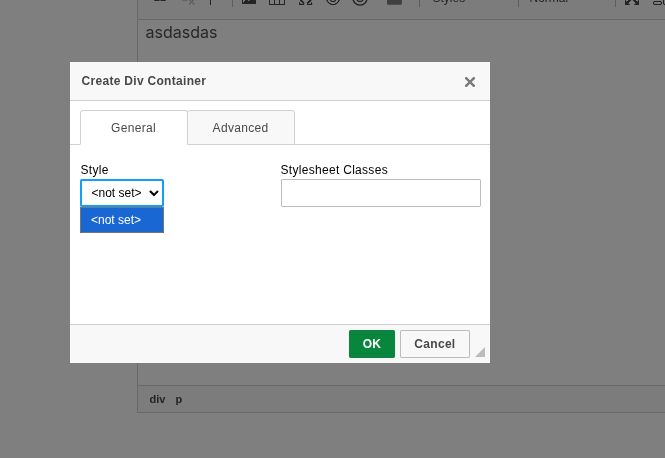
Because when I enter the name of my class in Stylesheet classes, it does exactly what I want it to do, but remembering them is tedious, so I would like to be able to select them from a drop-down menu.
I’ve looked through the CKEditor documentation and searched the internet for something about Div Container Manager, but I can’t find anything.
Thanks in advance for your help and any information.
Best regards
---
### Author:  [@TMDesigns](https://forums.concretecms.org/u/TMDesigns)
#### Post date: [October 21, 2025, 7:29am UTC](https://forums.concretecms.org/t/editor-text-div-container-manager/9533/2 "2025-10-21T07:29:24Z")
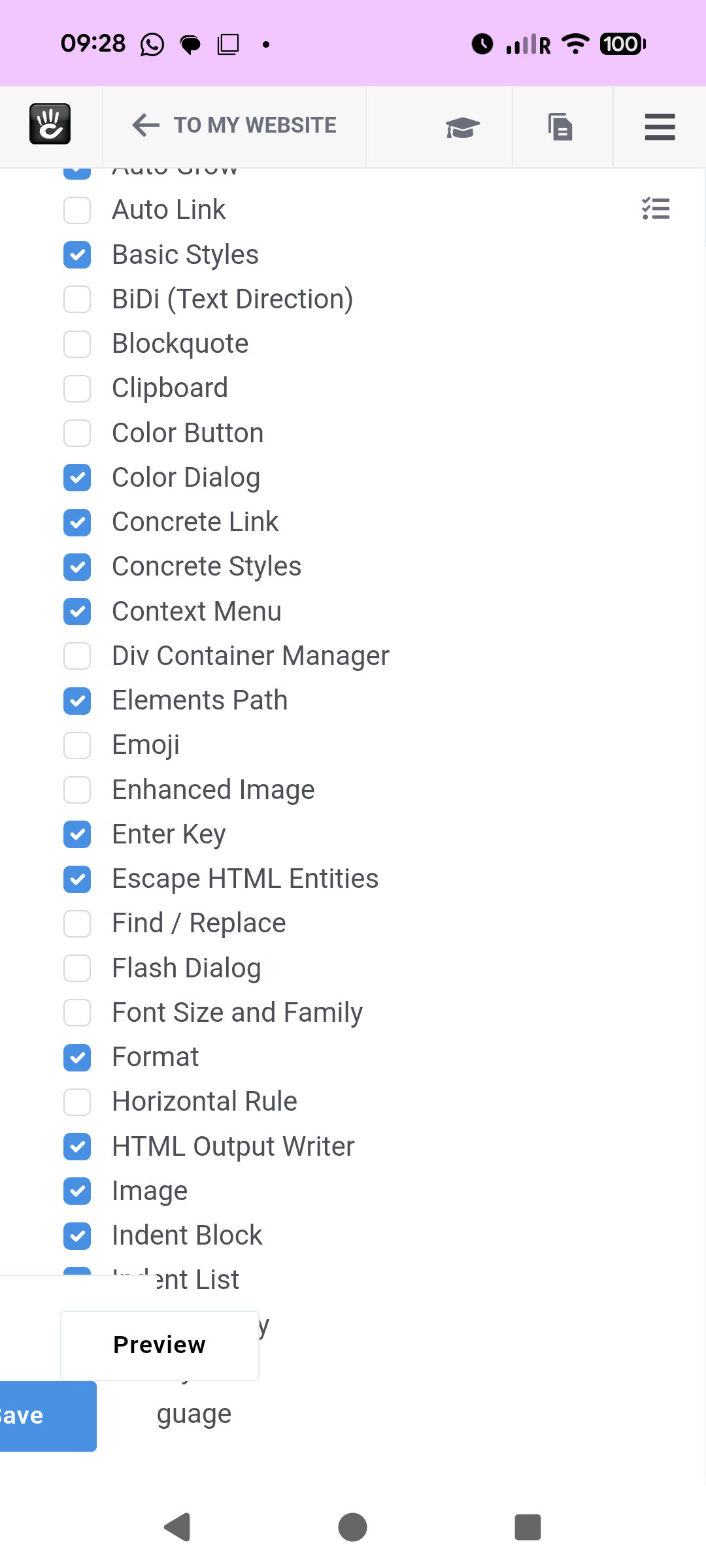
Try going here and adding Div container manager
index.php/dashboard/system/basics/editor
---
### Author:  [@ricc3](https://forums.concretecms.org/u/ricc3)
#### Post date: [October 22, 2025, 7:01pm UTC](https://forums.concretecms.org/t/editor-text-div-container-manager/9533/3 "2025-10-22T19:01:52Z")
I mean, how do I add my styles to this drop-down list, because I have what is shown in the image above.
---
### Author:  [@TMDesigns](https://forums.concretecms.org/u/TMDesigns)
#### Post date: [October 23, 2025, 6:19am UTC](https://forums.concretecms.org/t/editor-text-div-container-manager/9533/4 "2025-10-23T06:19:52Z")
Not quite what you want but you can add divs using the style drop down in the normal content editor?
Look in your page\_theme.php and do something like this
```php
t('Highlight Box'),
'element' => 'div',
'attributes' => ['class' => 'highlight-box'],
],
[
'title' => t('Two Column Wrapper'),
'element' => 'div',
'attributes' => ['class' => 'two-col-wrapper'],
],
[
'title' => t('Button Wrapper'),
'element' => 'div',
'attributes' => ['class' => 'button-wrapper'],
],
];
}
}
```
This will add three options to the style drop down.
You then select where you want or content and it will place a div with its class name there or around the content you selected.
Or you could try and see if this works
Add this code to the concrete.php in you config file
```php
return [
'editor' => [
'ckeditor4' => [
'plugins' => ['concrete5styles', 'concrete5filemanager', 'concrete5lightbox', 'div'], // ensure 'div' is present
'div' => [
'allowedContent' => true,
'contentsCss' => ['/application/css/editor.css'], // optional: your custom editor CSS
'styles' => [
[
'name' => 'Highlight Box',
'element' => 'div',
'attributes' => ['class' => 'highlight-box'],
],
[
'name' => 'Two Column Wrapper',
'element' => 'div',
'attributes' => ['class' => 'two-col-wrapper'],
],
[
'name' => 'Button Wrapper',
'element' => 'div',
'attributes' => ['class' => 'button-wrapper'],
],
],
],
],
],
];
```
I haven’t tested this as ran out if time but see if it works
Also try this page
> **[Adding CKEditor custom editor styles in a theme (Content block/rich text editor)](https://documentation.concretecms.org/tutorials/adding-ckeditor-custom-editor-styles-in-a-theme-content-blockrich-text-editor)**
>
> How to add CKEditor custom editor styles in a theme