# Theme Development: Compiling SASS files including paths
**URL:** https://forums.concretecms.org/t/theme-development-compiling-sass-files-including-paths/6292
**Category:** Developing with Concrete
**Created:** [October 11, 2023, 10:58am UTC](https://forums.concretecms.org/t/theme-development-compiling-sass-files-including-paths/6292 "2023-10-11T10:58:07Z")
**Posts on this page:** 10
**Page:** 1
### Author:  [@shahroq](https://forums.concretecms.org/u/shahroq)
#### Post date: [October 11, 2023, 10:58am UTC](https://forums.concretecms.org/t/theme-development-compiling-sass-files-including-paths/6292/1 "2023-10-11T10:58:07Z")
Hi,
In my SCSS files, there are references to external assets like images and fonts. When I compile the styles via the terminal, the paths make sense as the output CSS file is written on `/css/skins/default.css`. Yet when site editors use the theme customizer, the rendered file is outputted on `/application/files/presets/test-1.css`, therefore all paths become invalid.
Is there a solution to this problem? maybe a variable that can be added in front of all paths to generate an absolute path?
---
### Author:  [@EvanCooper](https://forums.concretecms.org/u/EvanCooper)
#### Post date: [October 20, 2023, 5:47am UTC](https://forums.concretecms.org/t/theme-development-compiling-sass-files-including-paths/6292/2 "2023-10-20T05:47:03Z")
Hi @shahroq - not off the top of my head, but let me poke around.
---
### Author:  [@EvanCooper](https://forums.concretecms.org/u/EvanCooper)
#### Post date: [October 27, 2023, 12:20am UTC](https://forums.concretecms.org/t/theme-development-compiling-sass-files-including-paths/6292/3 "2023-10-27T00:20:06Z")
So the issue might be that in your compiled css before the customizer the paths are relative - does that ring any bells?
---
### Author:  [@shahroq](https://forums.concretecms.org/u/shahroq)
#### Post date: [October 27, 2023, 9:59am UTC](https://forums.concretecms.org/t/theme-development-compiling-sass-files-including-paths/6292/4 "2023-10-27T09:59:19Z")
Hi @EvanCooper
Thank you for taking a look at this.
My first approach was using the relative path, and then when the editor uses the core customizer it breaks the path.
Then I switched to the absolute path, which definitely raised fewer complaints, but still, it breaks when the concrete is installed in any place other than the web server root. Check the last msg on this thread for example.
> **[Multiple issues - Concrete CMS](https://marketplace.concretecms.com/marketplace/themes/pixel-9/support/multiple-issues/)**
>
> I have encountered a number of issues.
> Firstly the files/folders had incorrect permissions when extracted from zip file via cPanel, see screen grab.
> Customise skin is missing any options with default skin. See screen grab.
> Customised dark skin...
---
### Author:  [@EvanCooper](https://forums.concretecms.org/u/EvanCooper)
#### Post date: [November 3, 2023, 12:30am UTC](https://forums.concretecms.org/t/theme-development-compiling-sass-files-including-paths/6292/5 "2023-11-03T00:30:38Z")
Got it - let me take another look.
---
### Author:  [@andrew](https://forums.concretecms.org/u/andrew)
#### Post date: [January 31, 2024, 8:30pm UTC](https://forums.concretecms.org/t/theme-development-compiling-sass-files-including-paths/6292/6 "2024-01-31T20:30:07Z")
I’ve had a chance to look into this. I’ve added a new auto-populated SCSS variable into the core that will be available in 9.2.5. This variable, `concrete-theme-path`, will automatically be populated with the path to the current theme. You should then be able to use it together with SCSS interpolation to load background images that work whether the theme is being built using the Laravel Mix customizer (to build the default skins) or the built-in Concrete customizer.
You can see this working in the latest commits of [GitHub - concretecms/theme\_bedrock\_documentation: Companion code to the Version 9 theme documentation on documentation.concretecms.org.](https://github.com/concretecms/theme_bedrock_documentation), but I will explain it a little here.
First, you’ll want to make sure your `webpack.mix.js` file does NOT process CSS URLs. This is a webpack/laravel mix helper feature that will automatically rewrite relative URLs to their absolute ones. You don’t want this, because by default we want the URL to be relative. So add this somewhere in `webpack.mix.js`:
```
mix.options({
processCssUrls: false
});
```
Next, somewhere in your SCSS files (I added it to the `_shared-variables.scss` file that the Flintstone demo theme includes from `_common.scss`) you’ll need to define the default version of the `concrete-theme-path` variable. This should point _in a relative path_ from the root of the _generated_ SCSS file back to the theme root. (Note: this is NOT computed from the root of wherever your SCSS include file is). In my Flintstone theme documentation (linked above), that path is `../../`, so here’s how I define the variable:
```
$concrete-theme-path: '../../' !default;
```
Note the `!default`: you’ll need to include this so this variable can be overwritten by the customizer.
Finally, you use the variable wherever you need to get a path to your theme directory, for whatever reason you need. In the theme demo, we’re defining a background image in the `_body.scss` file, so here’s how we set the background image of the body tag to a file found in the `images/` directory of the theme:
```
body {
background: var(--bs-body-bg) url(#{$concrete-theme-path}/images/bg_flintstone.png) repeat fixed;
}
```
That should do it. When building the initial skins with `npm run production` the original value of `concrete-theme-path` will be used, which will load the image relative to the theme stylesheet, and these two things never change relative to each other. When using the customizer, the absolute path to the theme directory will be injected into this variable, and it will be used instead.
Hope this helps! Again, this will NOT work today, but when we release 9.2.5 in early February it should be available. Nothing is stopping you from coding your themes for use with this variable, however, since the worst that will happen will be that the theme doesn’t work well in the customizer (which is probably the case today)
---
### Author:  [@TMDesigns](https://forums.concretecms.org/u/TMDesigns)
#### Post date: [February 1, 2024, 12:28pm UTC](https://forums.concretecms.org/t/theme-development-compiling-sass-files-including-paths/6292/7 "2024-02-01T12:28:11Z")
This looks very cool, nice post
---
### Author:  [@shahroq](https://forums.concretecms.org/u/shahroq)
#### Post date: [February 23, 2024, 11:28am UTC](https://forums.concretecms.org/t/theme-development-compiling-sass-files-including-paths/6292/8 "2024-02-23T11:28:40Z")
Thank you @andrew . Just implemented it with 9.2.6 and it works perfectly.
---
### Author:  [@andrew](https://forums.concretecms.org/u/andrew)
#### Post date: [February 28, 2024, 7:11pm UTC](https://forums.concretecms.org/t/theme-development-compiling-sass-files-including-paths/6292/9 "2024-02-28T19:11:24Z")
That’s great news. Thanks for writing back
---
### Author:  [@dbuerer](https://forums.concretecms.org/u/dbuerer)
#### Post date: [December 2, 2025, 6:26am UTC](https://forums.concretecms.org/t/theme-development-compiling-sass-files-including-paths/6292/10 "2025-12-02T06:26:56Z")
> [@andrew](#):
>
> ```auto
> body {
> background: var(--bs-body-bg) url(#{$concrete-theme-path}/images/bg_flintstone.png) repeat fixed;
> }
>
> ```
Well….this seems to be part way there. It works great for display but the customizer is throwing a fit…or did I do something incorrectly? Would love to see a customizer example in flintstone.
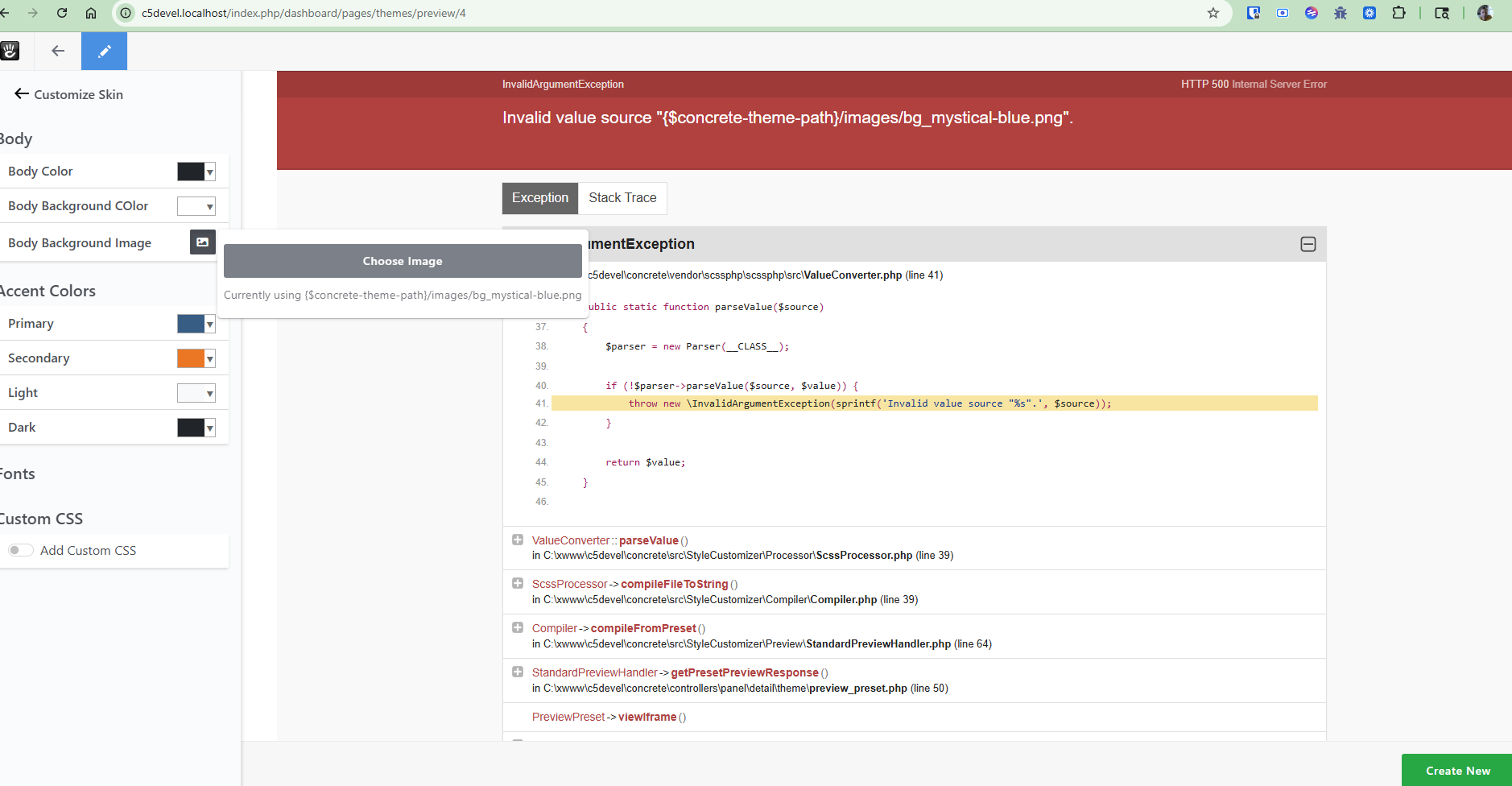
. Interestingly enough, if you pick a new image, the new image doesn’t display nor does it save but the original image starts working
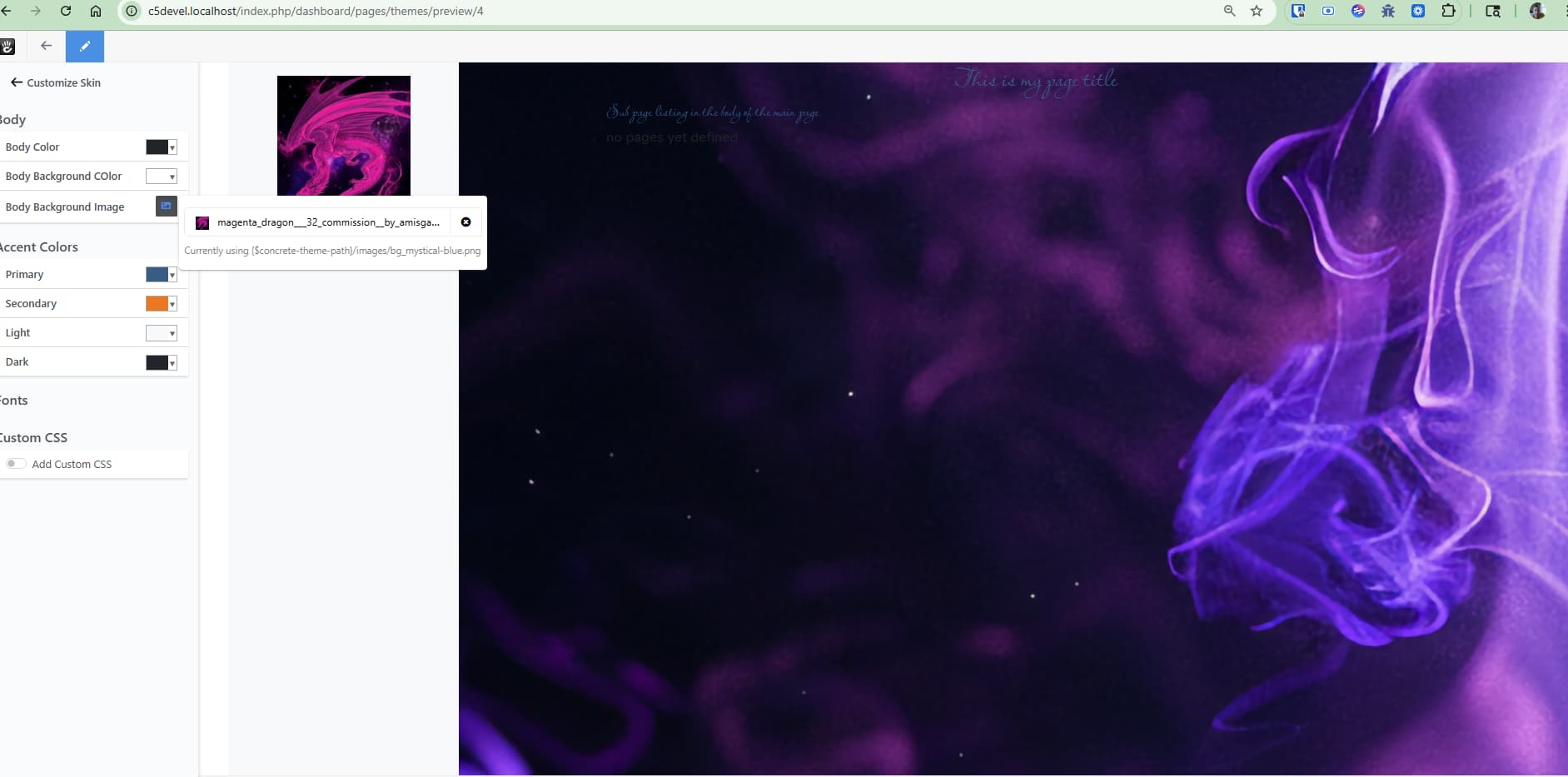
Also….customizer should support setting image to null if no image is desired. It may already do this but i can’t test it because the new values do not seem to save.