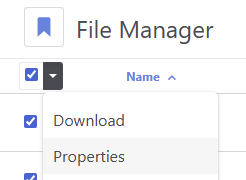
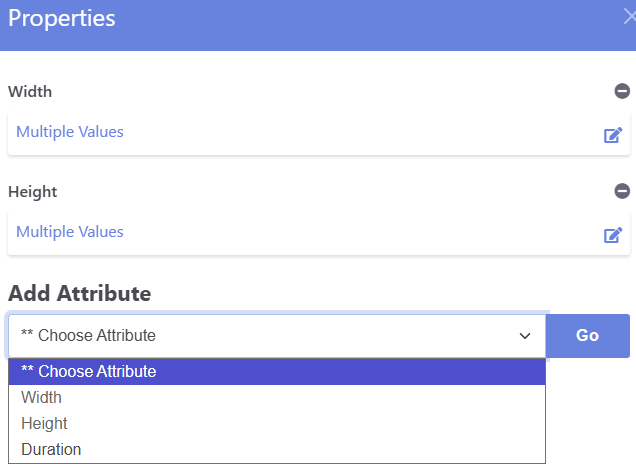
I’m trying to add tags to multiple images in file manager. In the available file attributes, I find title, description, width, etc. and my custom attributes, but not the tags attribute. Where is it?, - the field to enter multiple values? When I edit file attributes on a single image I do do see «tags» to enter. This attribute is written into the file.
I’ve tried, and read all forum info after searching «adding multiple tags / batch tags images». No clues found, unless it’s me, - dim.
How can I achieve this?
I sure can add another custom text attribute called «img tags» as a option list and then use that.
but I want to use the «tags» attribute, appearing in the list of the single image.
Preferably I would use the same tag list I have set for page attributes. Would this be a possibility?
I use an Atomik clone, v.9.4.6, no other addons installed.
Thank you for any insights.