When you use the built in Calendar in concretecms it is not possible to show as the first day “Monday” it will only starts at “Sunday”. Is there a possibility to change?
Hello. If you mean when using the calendar block, you can do that by creating a template for the block.
You make a copy of concrete\blocks\calendar\view.php and put it in application\blocks\calendar\templates\monday_start_of_week.php
Then you modify that file. Between lines 30 and 33 it shows:
<script>
    $(function() {
        $('div[data-calendar=<?=$bID?>]').fullCalendar({
            header: {
You’re going to add an option just before header, like this:
<script>
    $(function() {
        $('div[data-calendar=<?=$bID?>]').fullCalendar({
            firstDay: 1,
            header: {
The firstDay option lets you choose which day starts the week (0 for sunday by default, 1 for monday, 2 for tuesday…)
Then apply the template named “Monday Start Of Week” to your block.
I hope this helps.
Hello, thank you very much for the answer. Sorry for not being more specific with my question. I mean of course the build-in calendar at /index.php/dashboard/calendar/events! In the frontend at the blocks I got it of course. Do you have a tip?
Best regards
I’m afraid there’s no easy solution for that. It’s a single page generating a table to represent the calendar. Pretty much everything is hard-coded. You could try to override the page and changing the table header with the days of the week is pretty straightforward but then you’d have to modify the rest to make sure the whole calendar is printed accordingly and it seems more complicated than it’s worth… Provided overriding the single page is even possible.
Hello, I have already tried this, but unfortunately failed. I somehow think, after looking at the code, that this should actually work, based on the functions and translations. That is really a pity! Is extremely confusing for the customer. Nevertheless, many thanks for the hints. I come here unfortunately no further. All the best
I’ve just submitted a fix for it (see First weekday in dashboard calendar as defined by current locale by mlocati · Pull Request #11537 · concretecms/concretecms · GitHub)
I hope that the core team will accept it before they release the new upcoming Concrete version (9.2.1).
Wow, thank you soooo much!!!
Yep, the core team already accepted my changes and included them in version 9.2.1 (released a few hours ago).
That’s super cool new news! I thank you very much 
I apologize for joining halfway through.
I was able to change the start date of the monthly calendar that guests can view to Monday, but the calendar that administrators use to add events starts on Sunday, so if I don’t change it to Monday, it won’t match and there’s a risk of errors in event registration.
I would like the calendar that administrators see when adding events to also start on Monday. Could you please tell me how to set this up?
Thank you in advance.
@dsds the first day of the week is controlled by the current user’s language.
For American English (en_US) it’s Sunday, for other languages (for example, British English - en_GB) it’s Monday.
Thank you.
Is there any other way to change it depending on the current user’s language?
I was able to set the start day of the calendar that guests can view to Monday, but is it possible to change Calendar Browsing when adding an event from the dashboard?
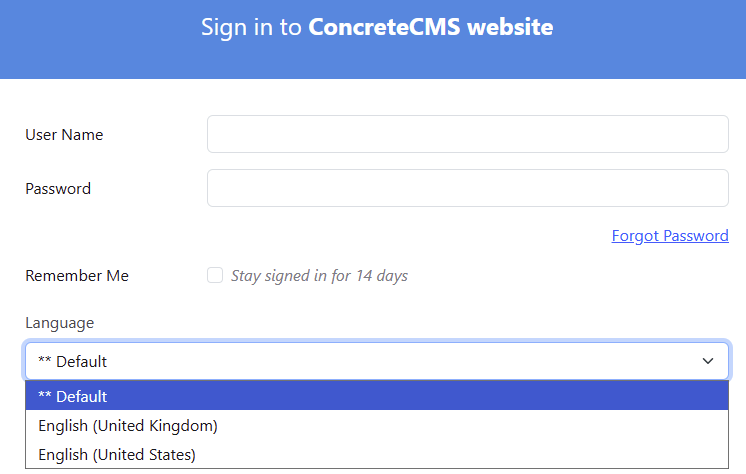
Recently I helped @dsds with a Japanese dashboard to set it up to start the week on Monday. In the resources used by Concrete, Japan starts the week on Sunday, and unlike English that gives you choices by selecting US or UK, Japanese doesn’t offer such possibility.
Here’s the solution that worked although it’s a total hack: How to Change Today's Color on the Calendar - #11 by mnakalay