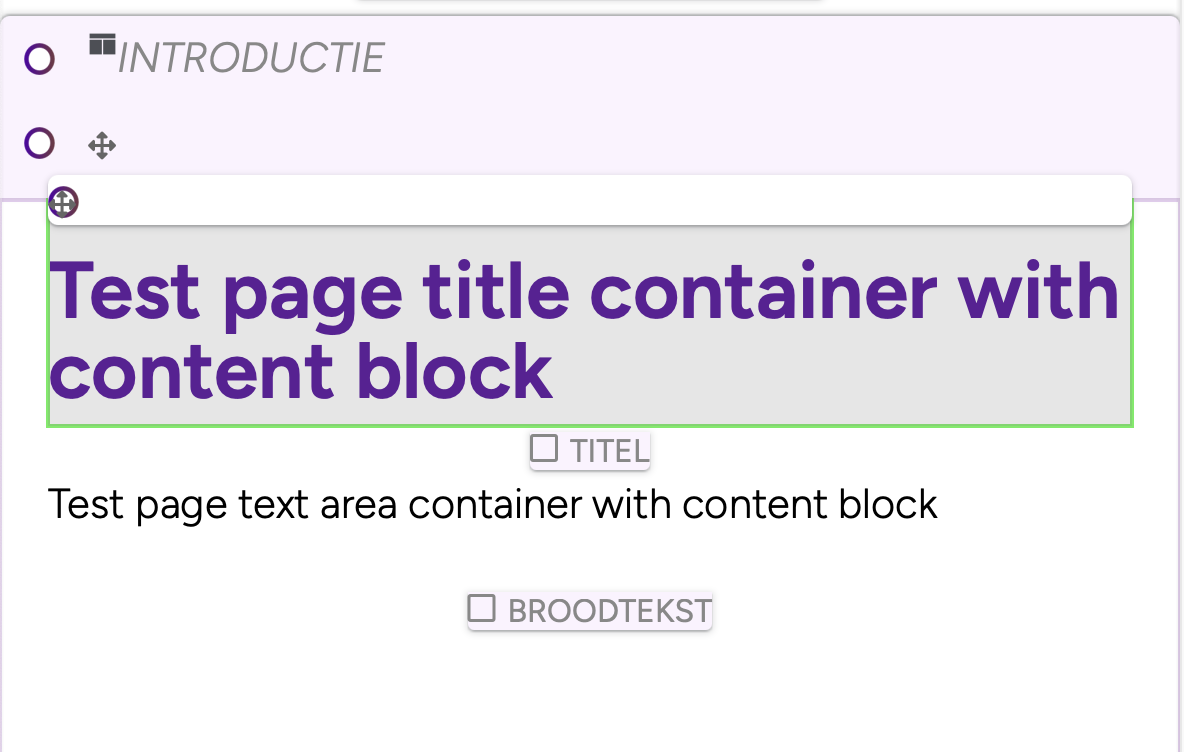
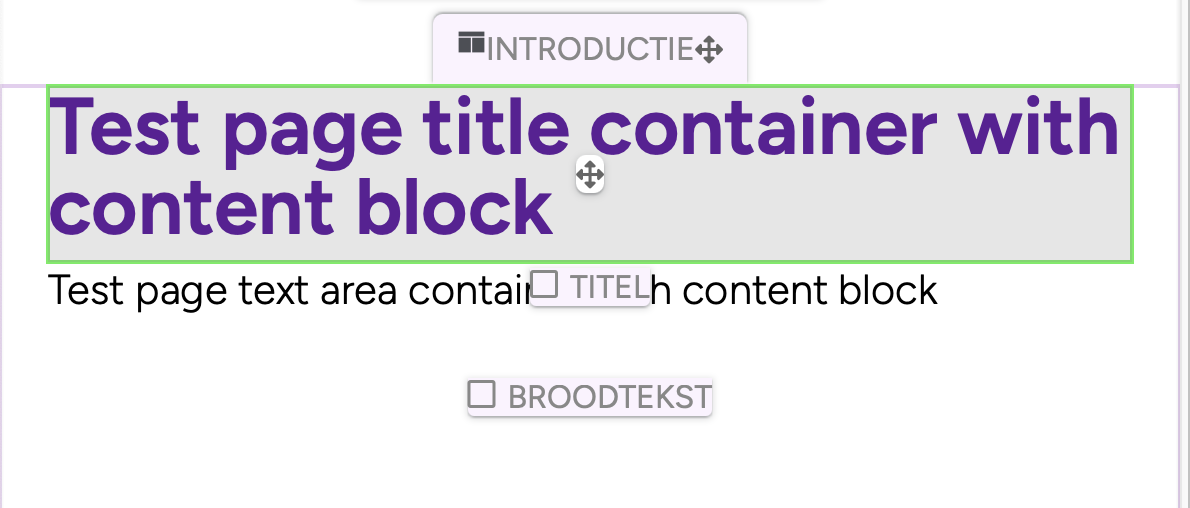
I wrap all my css in a container which I target within my theme templates. The main UI works of ConcreteCMS works fine but when I put the page in edit mode, the block editing UI does get affected by my css resulting in UL styling being disturbed by mine and the dragging icon does not work for containers.
All my templates have this at the beginning of the content and it closes at the end. <body> <div class="<?= $c->getPageWrapperClass() ?>"> <div id="uber-wrap">
If you are prefixing all of your styles as you’ve described, you should be finding that Concrete’s UI will remain unchained.
When Concrete outputs the toolbar, dialogs, sidebars, etc, it will do it at the very bottom of the page, outside of your div that contains your actual page.
So if the UI is being impacted, it’s normally because an element hasn’t been closed somewhere, as the interface is being nested still within your page div.
Some things to check:
run your output HTML through a validator, to see if you can spot some obvious places where a closing tag is missing.
inspect the page elements in a browser, and look for the one with ccm-page as a class. If you then start editing the page, and inspect something like a block dialog, you should find that it isn’t nested within that .ccm-page div. If it is, something hasn’t been closed
where you are seeing the UI impacted, inspect that, and look at what CSS is being applied. It might give you a clue as to why it’s happening.
if you are building your CSS with something like Sass, double check you haven’t accidentally missed nesting some base styles, or have included a partial sass file with styles that are going to impact everything.
One other comment, I’d actually suggest not using an ID as your main wrapping class to effectively namespace your styles. Using an ID is quite heavy handed, and whilst it works (and works well), it can often make it harder to well organised hierarchal CSS (i.e. you end up having to use !important a lot more). The div with getPageWrapperClass is actually designed to wrap your page, as the class .ccm-page isn’t used by the UI, and is intended for use by your own CSS.
I have personally found that the biggest culprit in my css messing with the editability functions is z-index. I have had the ability to move a block from place to place like you are describing go dead because the little (crosshair?) thingy wasn’t available. Only to find out that something had a z-index greater than the C5 UI.
I’ve checked if there is any div that did not close and that is not the case. If I add a anywhere it breaks the lay-out beneath that so that’s good.
I’ve find the bit if code that breaks it (SCSS). When I remove that piece of code it works fine. I’ve looked it up on my css and it does have the prefix on it. What’s weird is that I starting having the breaking issue when I started using containers. Before that it would still impact the ul’s but it would still work although it looked weird. But the containers can not be moved, once I remove the UL below from the code, it works perfectly.
some blocks/templates will output differently in edit mode, than they do when the page is being viewed normally. So you might need to start off with a blank page, and see if that’s broken, then start to add any custom blocks to try to see when it breaks
occasionally tracking codes can mess up editing, if they have broken content in them. I’ve seen all sorts of nonsense over the years in those fields
I’ve seen incorrectly built custom grid systems break nesting when editing
You could attach your entire HTML output of a page that isn’t working right for us to have a look.
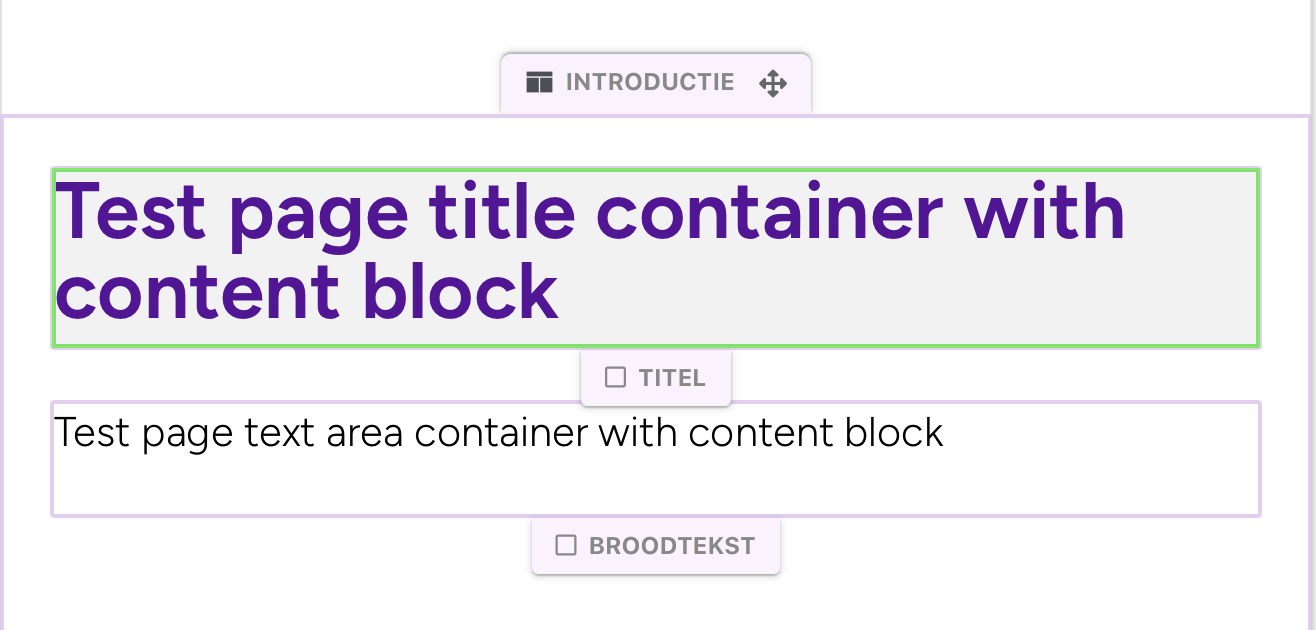
Thanks for the reply! I’ve attached the HTML of a ‘clean’ page with only one container and a breadcrumbs navigation block in the template, plus the header and footer. And two images of the issue, one where the ul is disabled in my CSS and one where it’s active. All other ConcreteCMS UI is working perfectly, the top bar, side panels that slide in etc. It’s one the on-page editing boxes that are giving me problems.
I’ve included the page here as a full copy of the page that shows the issue.
I was wrong about the controls always sitting outside the wrapping div - I was thinking more about block controls, but stuff like containers and area controls do sit inside.
I can see now why you’ve been frustrated by this, it looks like the layout controls don’t have styles applied to them with high specificity, so they are easy to be impacted.
What I would try is:
changing in your SASS the wrapping id of #uber-wrap, to the class of .ccm-page, to reduce specificity in general
where are you styling the list items, don’t nest it .ccm-page ul li, just go .ccm-page li
That should reduce the specificity below that of what the interface is using to style some of those controls, but should still also style your content.
you may have already resolved this, but maybe your reset stylesheet is too aggressive, and instead you need more of a normalize stylesheet. I’ve Normalize.css: Make browsers render all elements more consistently. without issue (whether it’s still relevant in 2026 I’d need to check, but I reckon it would be)
I reckon this is something that might need to be fixed in the core though - containers aren’t often used on sites, so it’s perhaps not been spotted as a problem.