How do I change this URL to something more "normal"

After putting up som texts on my website I get this URL:

https://ahlbeck.net/index.php/ahlbeck-online/resources/resource-six/en-vecka-i-paradiset

A more natural URL could be websitedomain.net/en-vecka-i-paradiset

There must be a setting somewhere where I can change this? Or do I have to make changes on the server (Apache)?

I use Concrete CMS 9.4.7 and theme Atomic

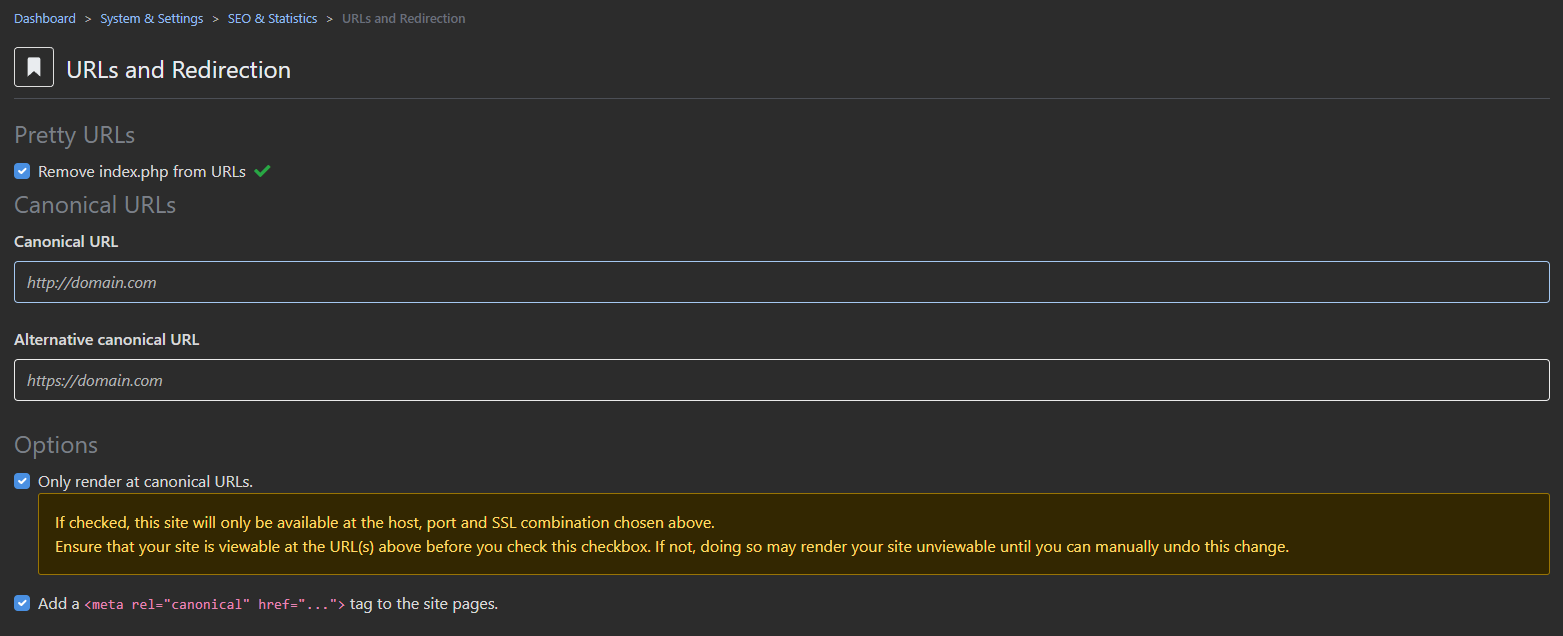
First of all you should setup Pretty URLs in System & Settings/SEO & Statistics/URLs and Redirection
Tick the box for Remove index.php from URLs.
And set the Canonical URL as https://ahlbeck.net
see the image


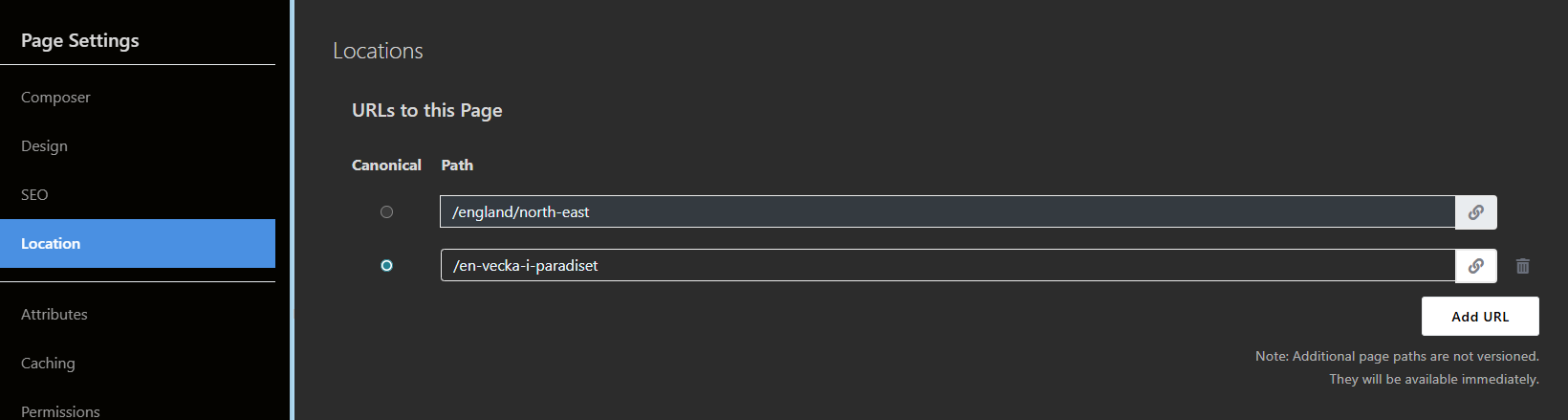
And then go to your Page Settings and set the Location see the second image

and make sure you set it as Canonical.

Thanks for your help.

However it seems that when I did those changes I can’t get the dashboard to open any more. So I can’t change according to the last dashboard.

Hmmm, so I’m stuck now I guess, since I can’t change it back either.

(I just managed to reinstall it from a backup, but then I have the old “ugly” URLs again)

Post a snapshot of your URLs and Redirection page so we can take a look for you.

Did your .htaccess file ACTUALLY get changed automatically? A lot of the time, when you click to turn on Pretty URLs, it actually tells you it couldn’t change the file and you have to do it manually. If it didn’t change your .htaccess file then concrete thinks you have so there’s a mismatch in how it creates URLs.
Thanks, I will try this before posting screenshots.