Tim401
1
Hello, I’ve been using concrete for a few months.
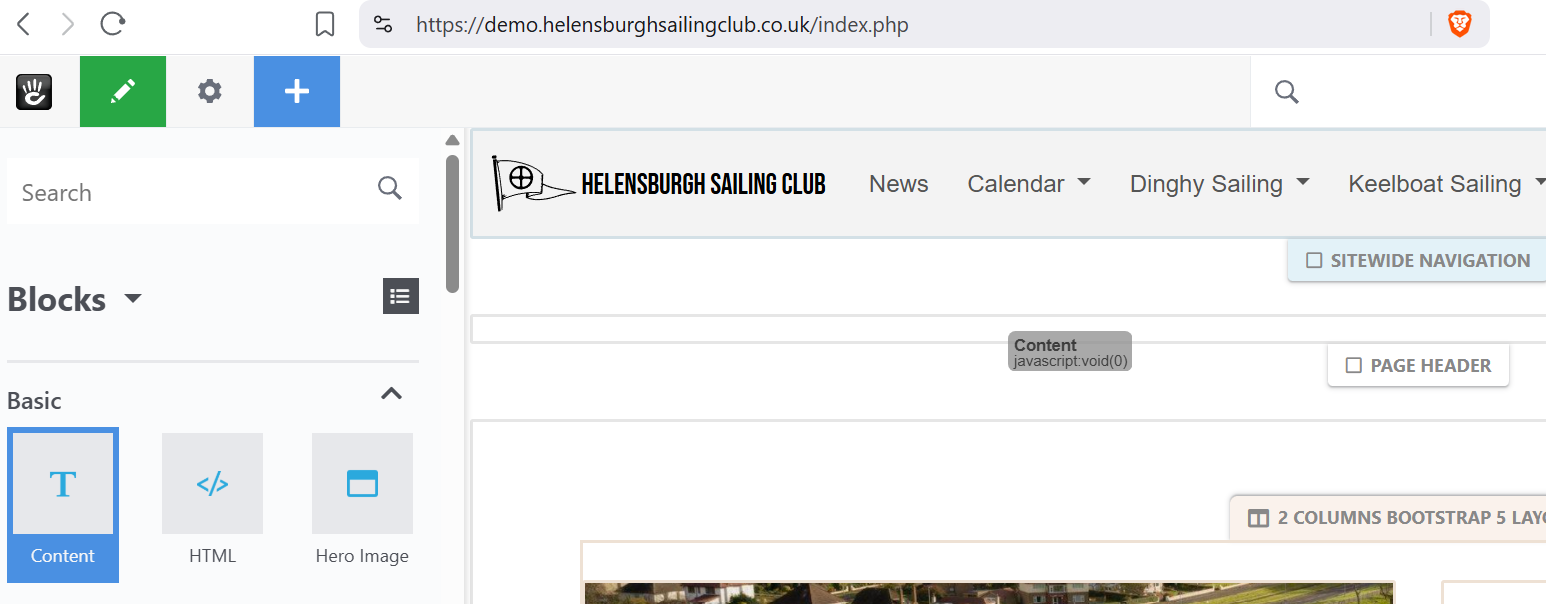
Suddenly I can’t add a block, I just get “content javascript void(0)” when I drag any block onto a design area.
On my Laptop ,running windows 11, I’ve tried different browsers and also a different PC running windows 10., But all give the same error.
I’d appreciate any insight please.
Tim401
2
PS: I’ve tried all the usual stuff - reboot, clear CMS cache, browser cache etc
Tim401
3
…so I’ve loaded a fresh copy of Concrete 9.4.5 with the atomic theme and it works perfectly. So the conundrum is how to fix my site?
Tim401
4
Solution!
Re-Apply the Theme
It seems the theme was somehow corrupted in the database entry, re-applying it fixes the problem:
-
Go to the Dashboard.
-
Navigate to Themes (or search for “Themes”).
-
Activate a different theme (like Elemental).
-
Activate Atomik again.
This forces a complete re-association of the theme with the site.