Thank you for your ongoing assistance.
I am using ConcreteCMS version 9.4.8 with the Replica Pro theme.
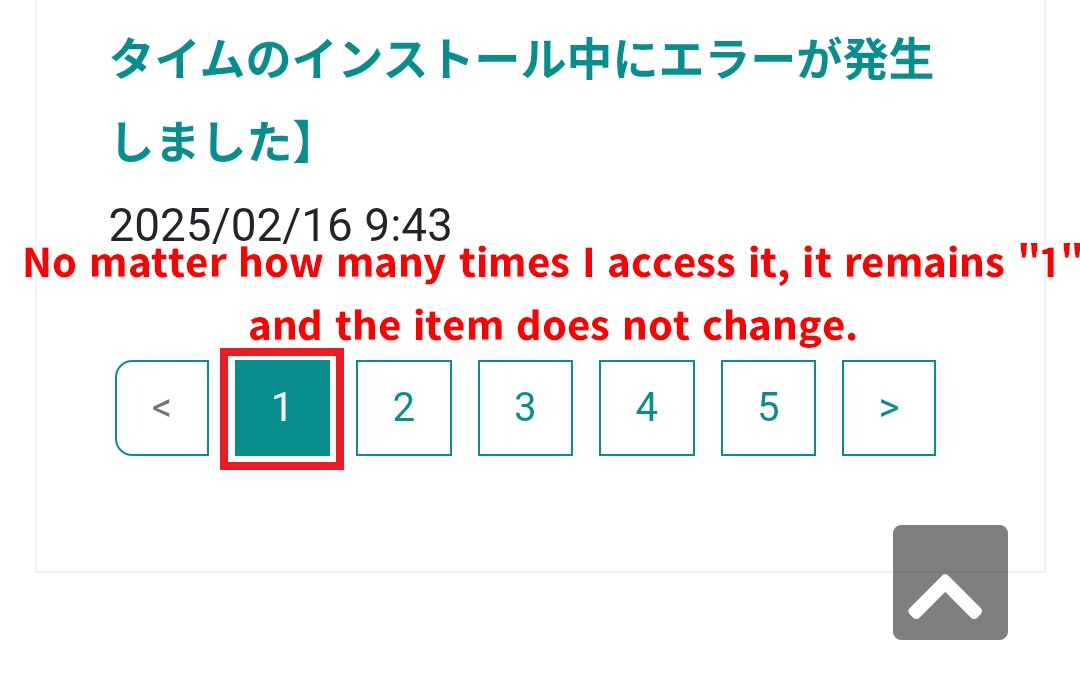
I recently noticed an issue: although I have selected the option “Display pagination interface if there are more items than the display limit” in the Page List settings, the pagination interface is not functioning on mobile devices.
It works correctly on desktop computers.
Could you suggest any possible causes?
I have, of course, already cleared the cache.
On desktop, the pagination interface works fine, but on mobile, the page reloads without advancing to the next page; it simply remains on page “1”.
If anyone has any insights, I would appreciate your advice.
Here are the details of my environment:
Concrete Version
Core Version - 9.4.8
Version Installed - 9.4.8
Database Version - 20250827152432
Hostname
sv1124456.xserver.jp
System User
dsds
Environment
production
Database Information
Version: 10.11.15-MariaDB-log
SQL Mode:
Character Set: utf8mb4
Collation: utf8mb4_unicode_ci
Max Connections: 3000
Concrete Packages
Afixia: Automatic WebP Image Conversion (2.0.2), Honest Websites Back To Top (1.1.0), Replica Pro Theme (2.6.2), Social Share Lite (2.2.0), Spacer (1.0.1), Theme Styling Tool (1.2.5)
If this is a core pagelist template and not an override template, try setting the block cache to off.
Mobile devices can have more aggressive caching than computer caching.
I think this option forces caching your page with the content from the first visited page. Try setting it not that stric or turning it off for pages with paginated blocks.
It’s not happening on your desktop because you are logged in as admin, which you are not on mobile.
Thank you.
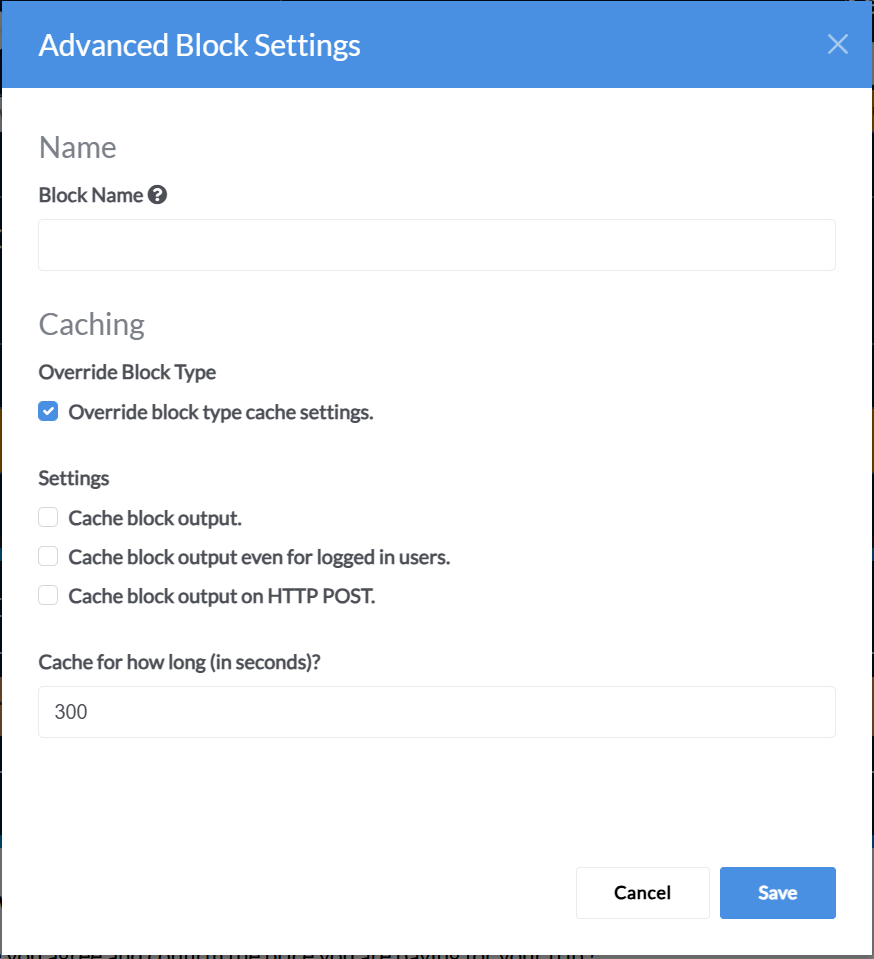
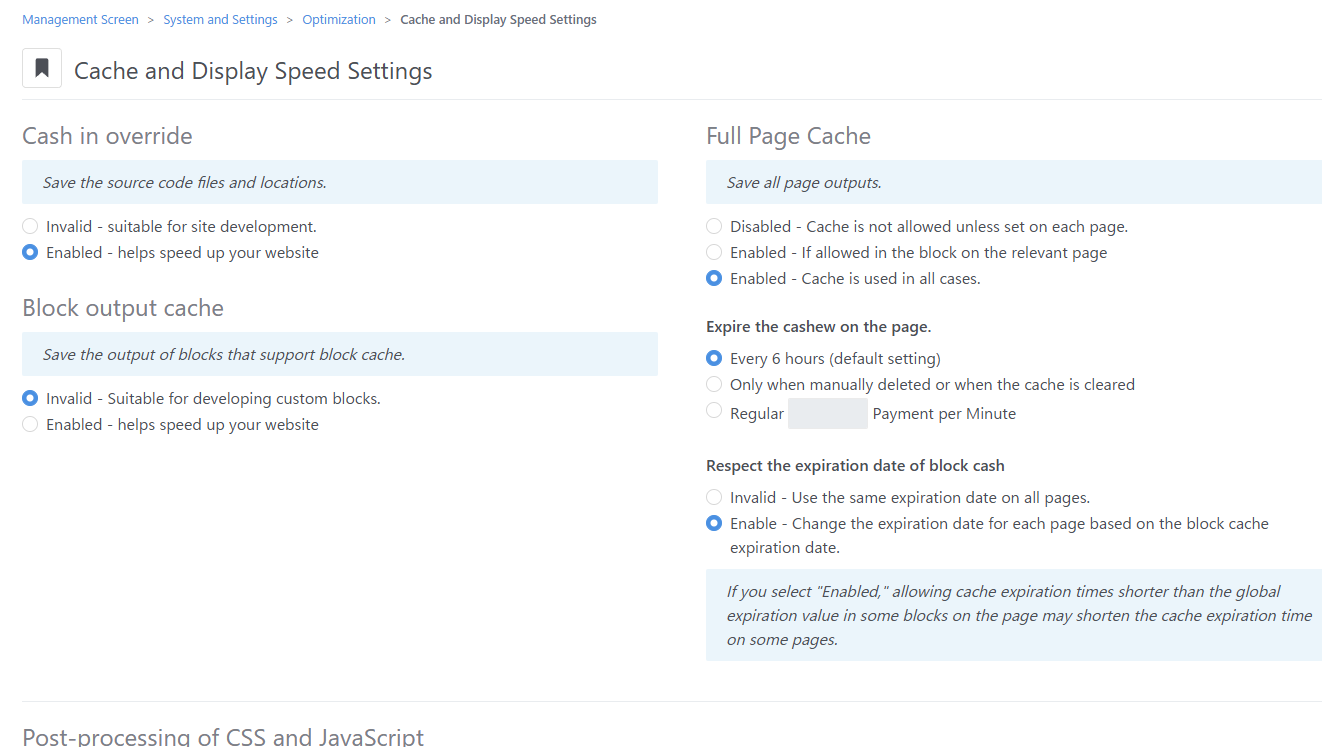
The issue was resolved after I turned off the block cache, as shown in the image.
Block caching can be tricky.
You really helped me out.
I appreciate it.
Thank you very much.
Thank you.
The issue was resolved after I turned off the block cache, as shown in the image.
Block caching can be tricky.
You really helped me out.
I appreciate it.
Thank you very much.
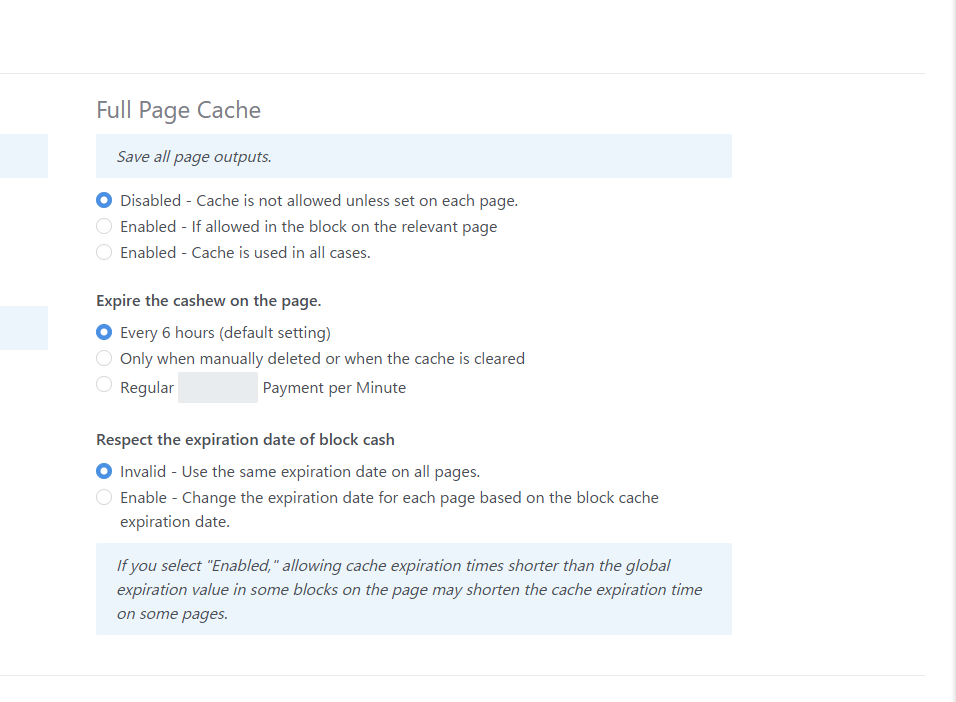
So, the goal is to disable block caching specifically for the Page List block, rather than doing so globally via the dashboard?
Since you uploaded a dashboard screenshot, I assumed that was the setting both of you were referring to.
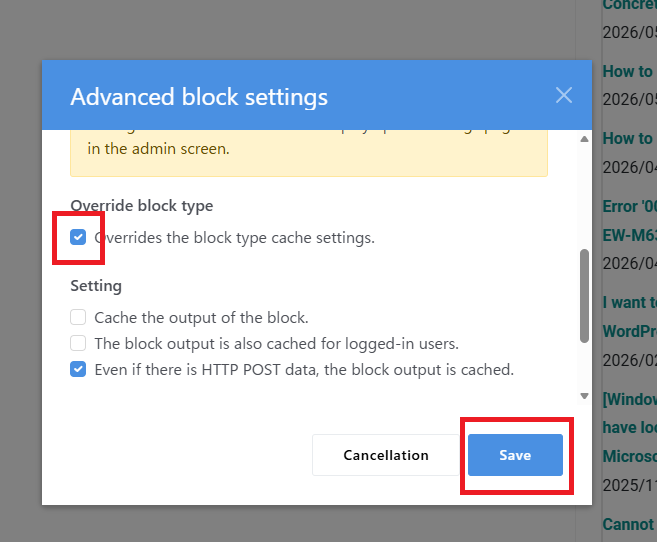
Should I proceed by checking the “Override block type cache settings” box under “Advanced Block Settings” (as shown in the image) and then clicking “Save”?
Although it wasn’t in the image you provided, the option “Cache block output even if there is HTTP POST data” is checked by default. Is it okay to leave that as is?