カレンダーでイベント追加時のカスタマイズ?

いつもお世話になっております。
ConcreteCMS9.4.7を使用しています。

カレンダー機能について3個お聞きしたいです。

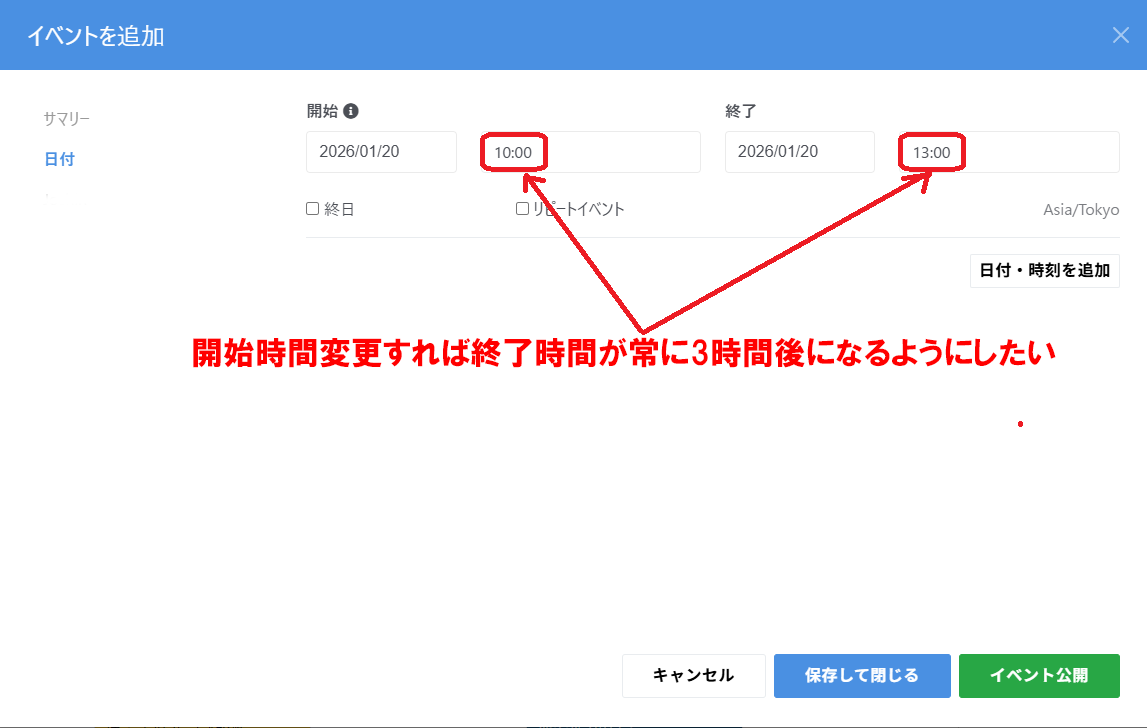
①管理者でイベント追加の時に時間の間隔がデフォルトで5分となってるところを30分や1時間にして開始時間を13:00と指定すれば終了が自動的に14:00で1時間の間隔になるところを3時間にカスタマイズするにはどのような設定やファイルをの変更が必要でしょうか?

②管理者でイベントを作成した時に「←ウェブサイトへ」で戻るとイベント項目の先頭に時間の数字が反映しますが、管理者が作成した時(カレンダー閲覧)には時間が表示されずイベントリストに変更しないと確認ができないのでカレンダー表示の時に表示するようにしたいのですが可能でしょうか?

③イベントリストブロックを設定すると縦にリストが並ぶので横に並べたりできますでしょうか?
縦ですとカレンダーの下に設置した時に右側が空いてしますので何とかならないかと思っています。

お手数をおかけして申し訳ありませんが、ご教授をよろしくお願いいたします。

# Concrete Version
Core Version - 9.4.7
Version Installed - 9.4.7
Database Version - 20250827152432

# Hostname
sv10000.xserver.jp

# System User
dsds

# Environment
production

# Database Information
Version: 10.5.13-MariaDB-log
SQL Mode: 
Character Set: utf8mb4
Collation: utf8mb4_unicode_ci

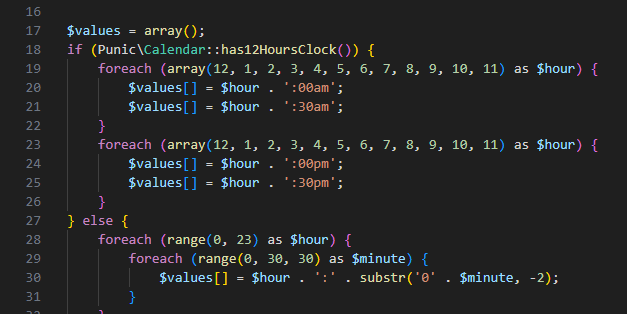
何とか自力でイベント追加の時に時間の間隔がデフォルトで5分となってるところを30分にすることはできました。

application/elements/date_time/duration.php の内容を画像のように変更しました。

ただ、イベントの開始時間を13:00と指定すれば終了が自動的に14:00で1時間の間隔になるところを3時間後にカスタマイズする変更は判りませんでした。

引き続きご教授宜しくお願い致します。

検索しているのですがいい回答がありません。

concrete/js/fullcalendar.js

というファイルの記述を変更するのでしょうか?

ご教授宜しくお願い致します。

@dsds you’ll need to override the calculateEndDate function, specifically line 239:

endDate.setTime(startDate.getTime() + (1 * 60 * 60 * 1000)) // one hour

Thank you for your reply.
I would like to override it, but is the file in the directory?
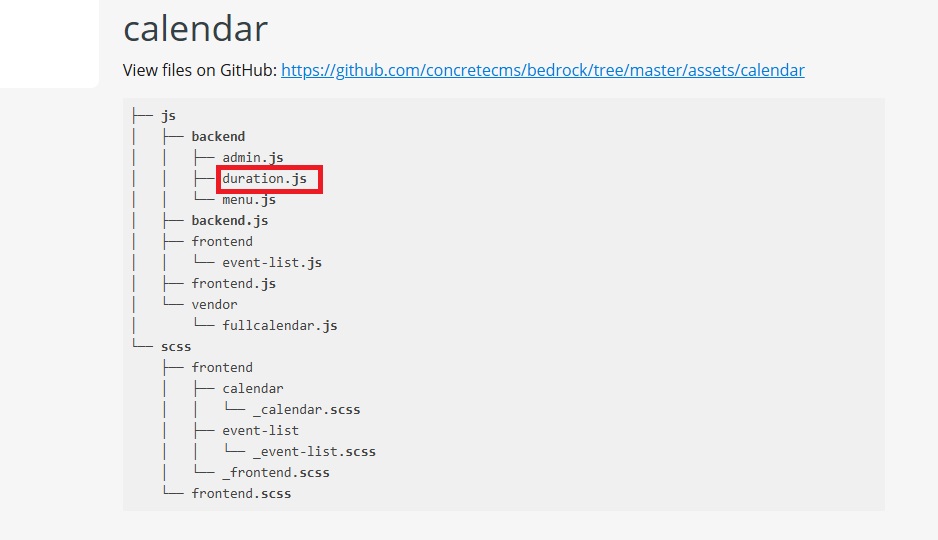
I searched the files for ConcreteCMS 9.4.7, but I couldn’t find anything called duration.js.

Thank you for your advice.

'm sorry for asking multiple times.
I’m really stumped and would appreciate some advice. I searched for the image file “duration.js” on Windows 11, but I couldn’t find it.
I also searched the “calendar” and “js” directories, but I couldn’t find it.

Where is the image hierarchy?

I can’t override it because I can’t find the original file.

I would appreciate it if you could provide information from the “concrete” directory.

Could you please help me somehow?
Thank you in advance.