Thank you for your continued support.
When using Afixia: Automatic WebP Image Conversion version 2.0.2 with CreteCMS 9.4.8, the following error log frequently occurs:
504 afixia_webp warning WebP Conversion Failed - Path is not valid on source: /home/demo/demo.com/public_html/demo.demo.com/images/v4/public/entry-button/button-only@2x.png 2026/04/06 16:12:27 Page not found None
I’ve been struggling with this for a while, and even asking the author of Automatic WebP Image Conversion didn’t solve it, so I used AI to investigate and found a possible cause.
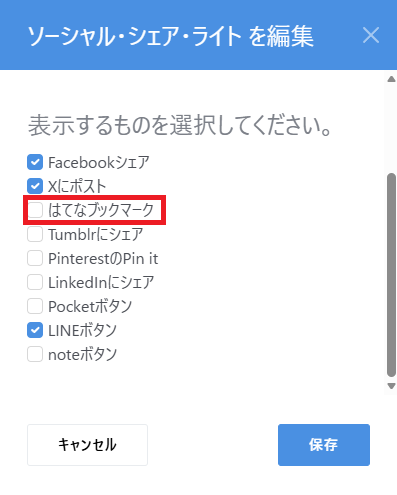
It was related to Social Share Lite v.2.2.0.
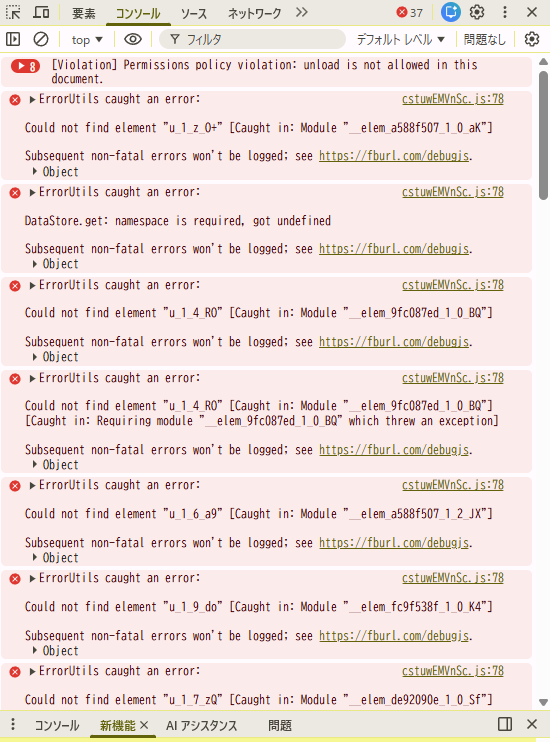
If you don’t know where your images are being used on your site, open the site in your browser and check the “Console” tab in the developer tools (F12 key). An error message, “GET … 404 (Not Found),” appears in red text where the image is being called.
I have confirmed this.
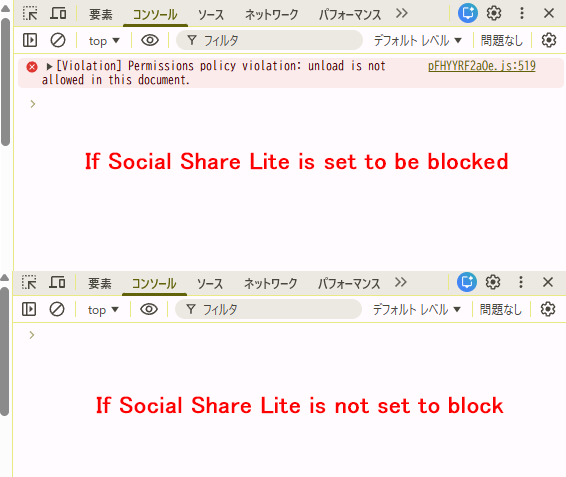
pFHYYRF2aOe.js:519 [Violation] Permission Policy Violation: unload is not permitted in this document.
The above error was detected.
This error is a warning related to the “deprecation of the unload event” that browsers (especially Chrome and Edge) are currently promoting.
The file pFHYYRF2aOe.js (often part of an external script or library such as Facebook) is attempting to use the old unload event, and is therefore blocked by the browser’s security/performance policy.
Impact on your site and how to deal with it
Impact on site functionality: In most cases, this is a “violation” from the browser and not a critical error that will break your site.
Identifying the cause: pFHYYRF2aOe.js is likely an external ad, social media button, or analytics tool (such as the Facebook SDK).
Solution:
Update external scripts: If you are using official SDKs such as Facebook or PayPal, it is common to wait until they are updated to the latest version.
Is it okay to ignore this? If you haven’t included unload in your code, this is an error you can ignore at this time, as it depends on the response of the external service.
If you want to resolve this error, identify which service (Facebook, analytics tools, etc.) your JavaScript file belongs to and try temporarily removing the tag to see if that resolves the issue.
For the reasons above, I removed the Social Share Lite add-on from my blocklist and tried the site for several days, and the error no longer occurs.
I would like to use both add-ons, so I hope for improvements if there are any problems.
Which add-on should be improved?
I don’t know because I lack the knowledge.
Could someone who knows please enlighten me?