The PortlandLabs support team suggested that I cross-post in English, so I would appreciate your help.
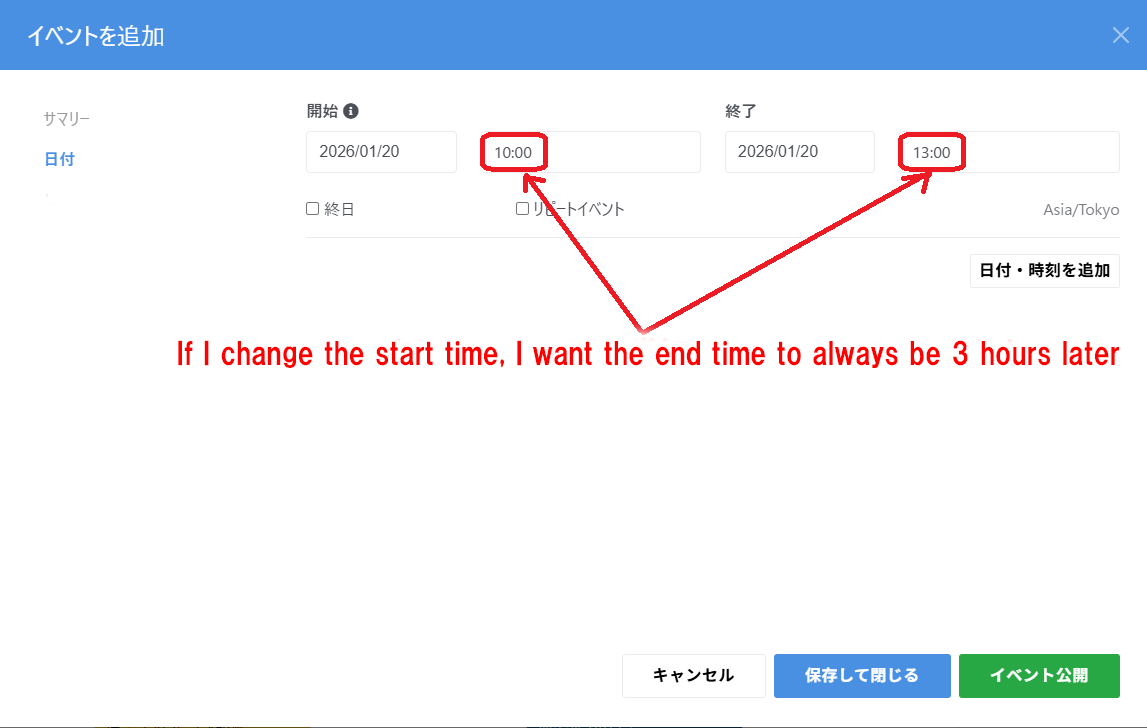
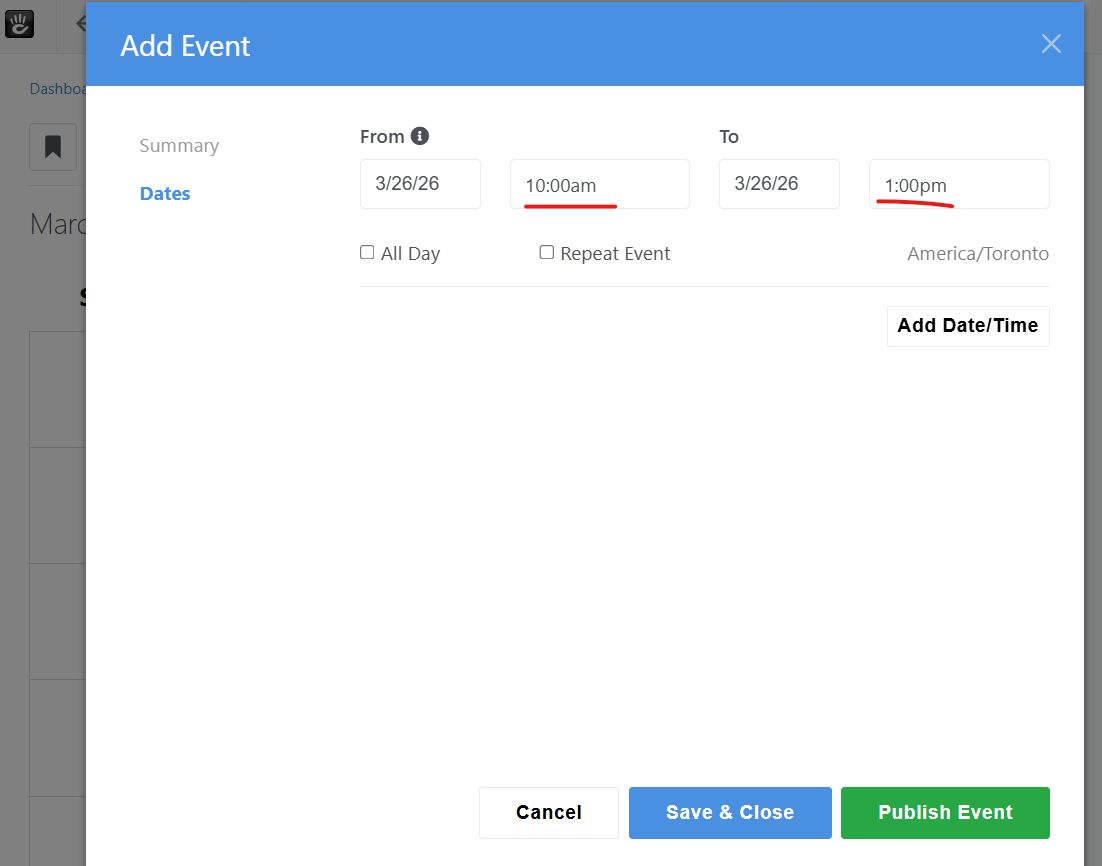
I would appreciate it if you could tell me how to customize the interval between the start and end times of calendar events to 3 hours in ConcreteCMS 9.4.7.
The default interval is 1 hour.
For example, if the start time is 10:00, I would like the end time to be 13:00.
'm sorry for asking multiple times.
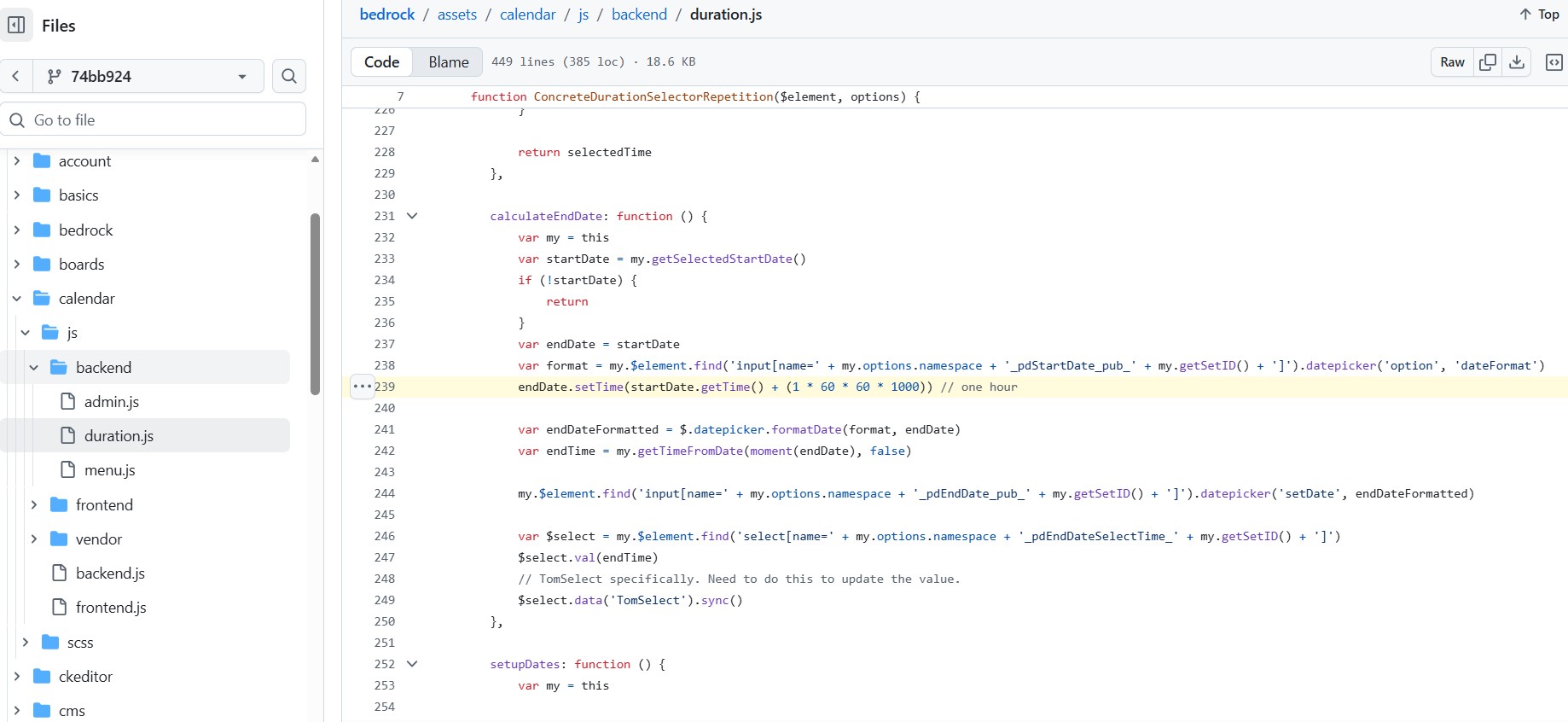
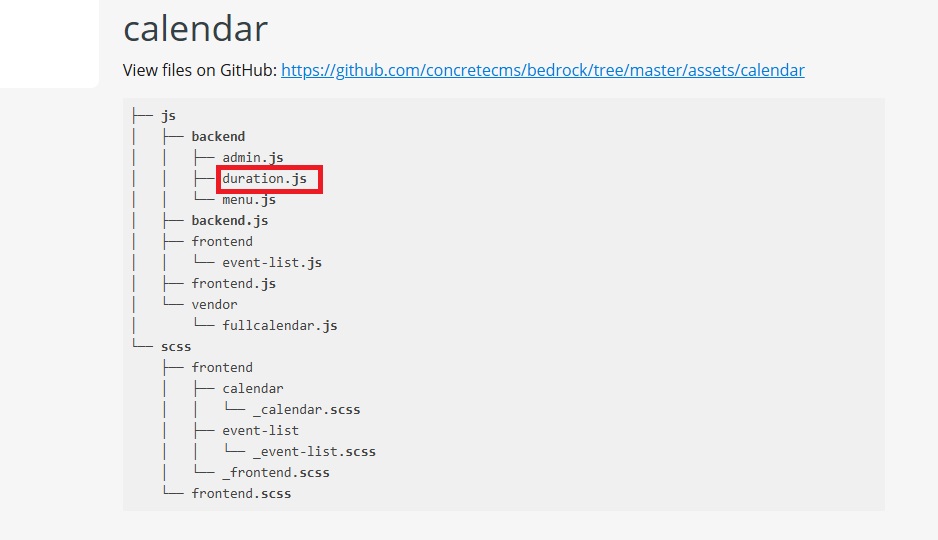
I’m really stumped and would appreciate some advice. I searched for the image file “duration.js” on Windows 11, but I couldn’t find it.
I also searched the “calendar” and “js” directories, but I couldn’t find it.
Where is the image hierarchy?
I can’t override it because I can’t find the original file.
I would appreciate it if you could provide information from the “concrete” directory.
Could you please help me somehow?
Thank you in advance.
When Concrete is built for distribution, groups of assets from the bedrock repository are merged together into ‘features’. So all the files in that group will be one big file in Concrete cms.
Thank you.
So you can’t find the file even after searching for it.
So do you know where the file in question is located?
Is it “fullcalendar.js”, “duration.php”, or a different file?
If you know, please let me know.
Thank you in advance.
Thank you.
I’m also wondering which file and where I should write this?
I’m sorry to bother you during your busy schedule, but I would appreciate your advice.
Please explain in a way that even beginners can understand.
I apologize for the trouble.
@Myq
I hope we can resolve this soon.
Please do your best to help.
Concrete CMS’s Event Handler is a feature that allows you to add custom processing (PHP) to specific actions such as user registration or page deletion, without directly editing (hacking) core files. It primarily uses Symfony’s EventDispatcher to monitor and execute events in application/bootstrap/app.php, etc.
I added the code described above to application/bootstrap/app.php, but I’m getting an unexpected error.
The code offered by @Myq is JavaScript not PHP so you need to take it back out of app.php
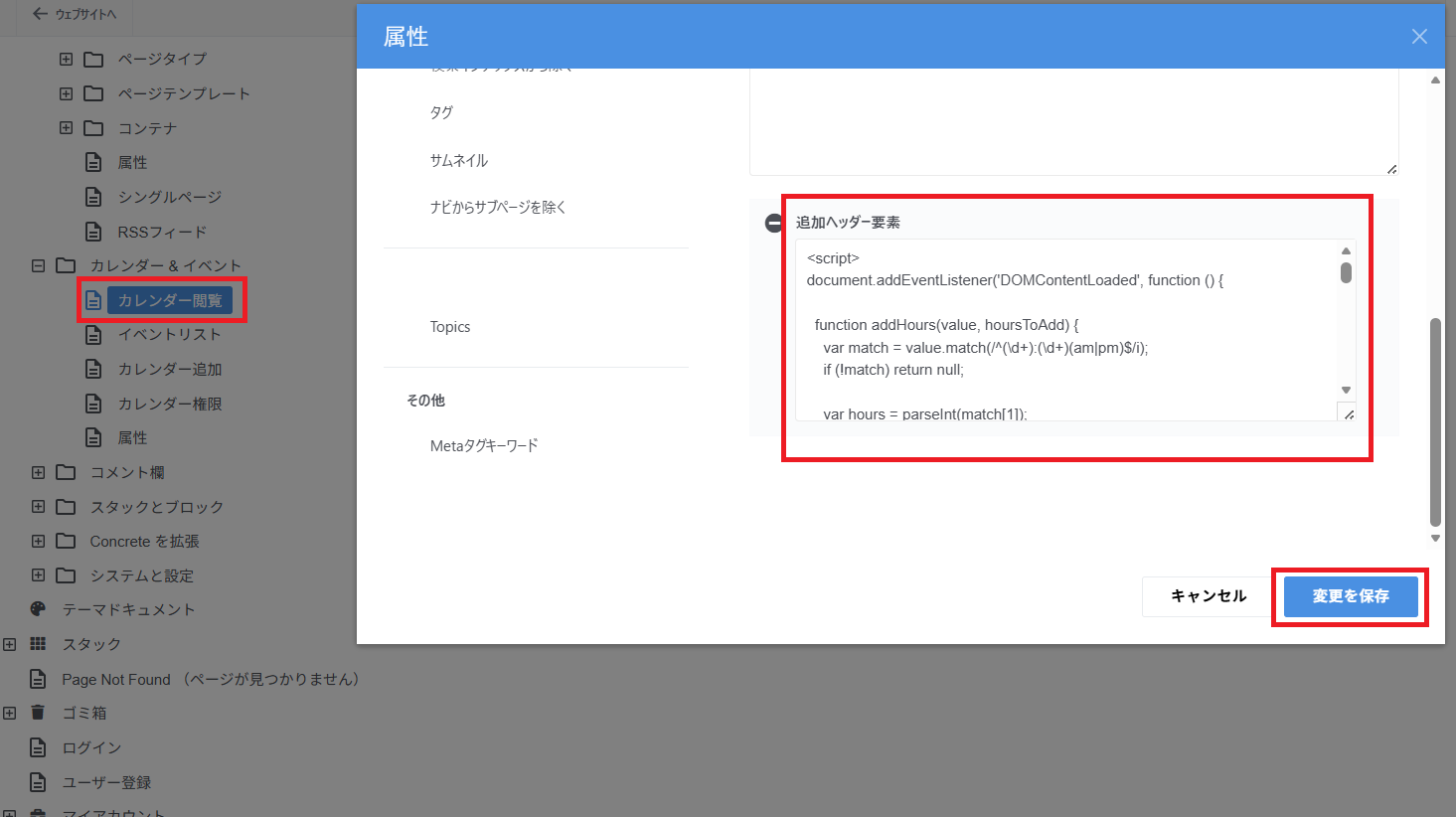
I spent a little time chatting with ChatGPT about this and here’s what ‘we’ came up with. Go to the Dashboard → Sitemap and choose “Show system pages” in the options (top right). Then expand Calendars and Events and click on View Calendar and choose “Attributes”. Then add “Extra header content” and put the JavaScript below into that box and save. Don’t add any comments to this JavaScript because concrete likes to try to clean up stuff and comments seem to truncate the script. I’m not exactly sure what behavior you are looking for but this script defaults to 3 hour and if you change the start time, it populates the end time 3 hours later. You are then free to change the end time as you see fit but if you go back and change the start time again, it will insert a 3 hour end time again.
<script>
document.addEventListener('DOMContentLoaded', function () {

  function addHours(value, hoursToAdd) {
    var match = value.match(/^(\d+):(\d+)(am|pm)$/i);
    if (!match) return null;

    var hours = parseInt(match[1]);
    var minutes = parseInt(match[2]);
    var period = match[3].toLowerCase();

    if (period === 'am' && hours === 12) hours = 0;
    if (period === 'pm' && hours !== 12) hours += 12;

    var totalMinutes = hours * 60 + minutes + (hoursToAdd * 60);
    var endHours24 = Math.floor(totalMinutes / 60) % 24;
    var endMinutes = totalMinutes % 60;

    var endHours12 = endHours24 % 12 || 12;
    var endPeriod = endHours24 < 12 ? 'am' : 'pm';

    return endHours12 + ':' + String(endMinutes).padStart(2, '0') + endPeriod;
  }

  function attachTimeLogic() {

    var selects = document.querySelectorAll('select');

    var startTS = null;
    var endTS = null;

    selects.forEach(function(select) {
      if (!select.tomselect) return;

      var name = (select.name || '').toLowerCase();

      if (name.indexOf('start') !== -1) startTS = select.tomselect;
      if (name.indexOf('end') !== -1) endTS = select.tomselect;
    });

    if (!startTS || !endTS) return;
    if (startTS._smartAttached) return;
    startTS._smartAttached = true;

    var initialized = false;

    function setEnd(startValue) {
      var newEnd = addHours(startValue, 3);
      if (newEnd) endTS.setValue(newEnd);
    }

    setTimeout(function () {
      var startValue = startTS.getValue();
      if (startValue) {
        setEnd(startValue);
        initialized = true;
      }
    }, 100);

    startTS.on('change', function (value) {
      if (!initialized) return;
      setEnd(value);
    });

    if (endTS.control) {
      endTS.control.addEventListener('mousedown', function () {
        var value = endTS.getValue();
        if (!value) return;

        var option = endTS.getOption(value);
        if (option) {
          endTS.setActiveOption(option);
        }
      });
    }

  }

  var observer = new MutationObserver(function () {
    attachTimeLogic();
  });

  observer.observe(document.documentElement, {
    childList: true,
    subtree: true
  });

});
</script>
I tried the method you suggested, but even after changing the start time for adding events, the interval remains at one hour.
I also tried clearing the cache, but the result was the same.
Is my setup incorrect?
I’ve attached a description and image of my method for your review.
I went to “Admin Panel” → “Sitemap” → “Include System Pages in Sitemap” → “Calendar and Events” → “Calendar Viewing” → “Attributes” → “Additional Header Element” and added all the code, then saved the changes.
First, I’d try opening this up in a browser you’ve never used before on this page in case your browser is being stubborn holding stuff in it’s cache.
Next, I’d re-visit the Extra Header Content on that page and scroll down to the very bottom and make sure it ends with a closing < /script > . Concrete likes to ‘sanitize’ this stuff and it’s possible the JS is getting cut off. That happened to me several times. Here’s the exact code off my successful test Event in case I posted something wrong above.
<script>
document.addEventListener('DOMContentLoaded', function () {

  function addHours(value, hoursToAdd) {
    var match = value.match(/^(\d+):(\d+)(am|pm)$/i);
    if (!match) return null;

    var hours = parseInt(match[1]);
    var minutes = parseInt(match[2]);
    var period = match[3].toLowerCase();

    if (period === 'am' && hours === 12) hours = 0;
    if (period === 'pm' && hours !== 12) hours += 12;

    var totalMinutes = hours * 60 + minutes + (hoursToAdd * 60);
    var endHours24 = Math.floor(totalMinutes / 60) % 24;
    var endMinutes = totalMinutes % 60;

    var endHours12 = endHours24 % 12 || 12;
    var endPeriod = endHours24 < 12 ? 'am' : 'pm';

    return endHours12 + ':' + String(endMinutes).padStart(2, '0') + endPeriod;
  }

  function attachTimeLogic() {

    var selects = document.querySelectorAll('select');

    var startTS = null;
    var endTS = null;

    selects.forEach(function(select) {
      if (!select.tomselect) return;

      var name = (select.name || '').toLowerCase();

      if (name.indexOf('start') !== -1) startTS = select.tomselect;
      if (name.indexOf('end') !== -1) endTS = select.tomselect;
    });

    if (!startTS || !endTS) return;
    if (startTS._smartAttached) return;
    startTS._smartAttached = true;

    var initialized = false;

    function setEnd(startValue) {
      var newEnd = addHours(startValue, 3);
      if (newEnd) endTS.setValue(newEnd);
    }

    setTimeout(function () {
      var startValue = startTS.getValue();
      if (startValue) {
        setEnd(startValue);
        initialized = true;
      }
    }, 100);

    startTS.on('change', function (value) {
      if (!initialized) return;
      setEnd(value);
    });

    if (endTS.control) {
      endTS.control.addEventListener('mousedown', function () {
        var value = endTS.getValue();
        if (!value) return;

        var option = endTS.getOption(value);
        if (option) {
          endTS.setActiveOption(option);
        }
      });
    }

  }

  var observer = new MutationObserver(function () {
    attachTimeLogic();
  });

  observer.observe(document.documentElement, {
    childList: true,
    subtree: true
  });

});
</script>
I’m close to the correct solution, but it’s not working.
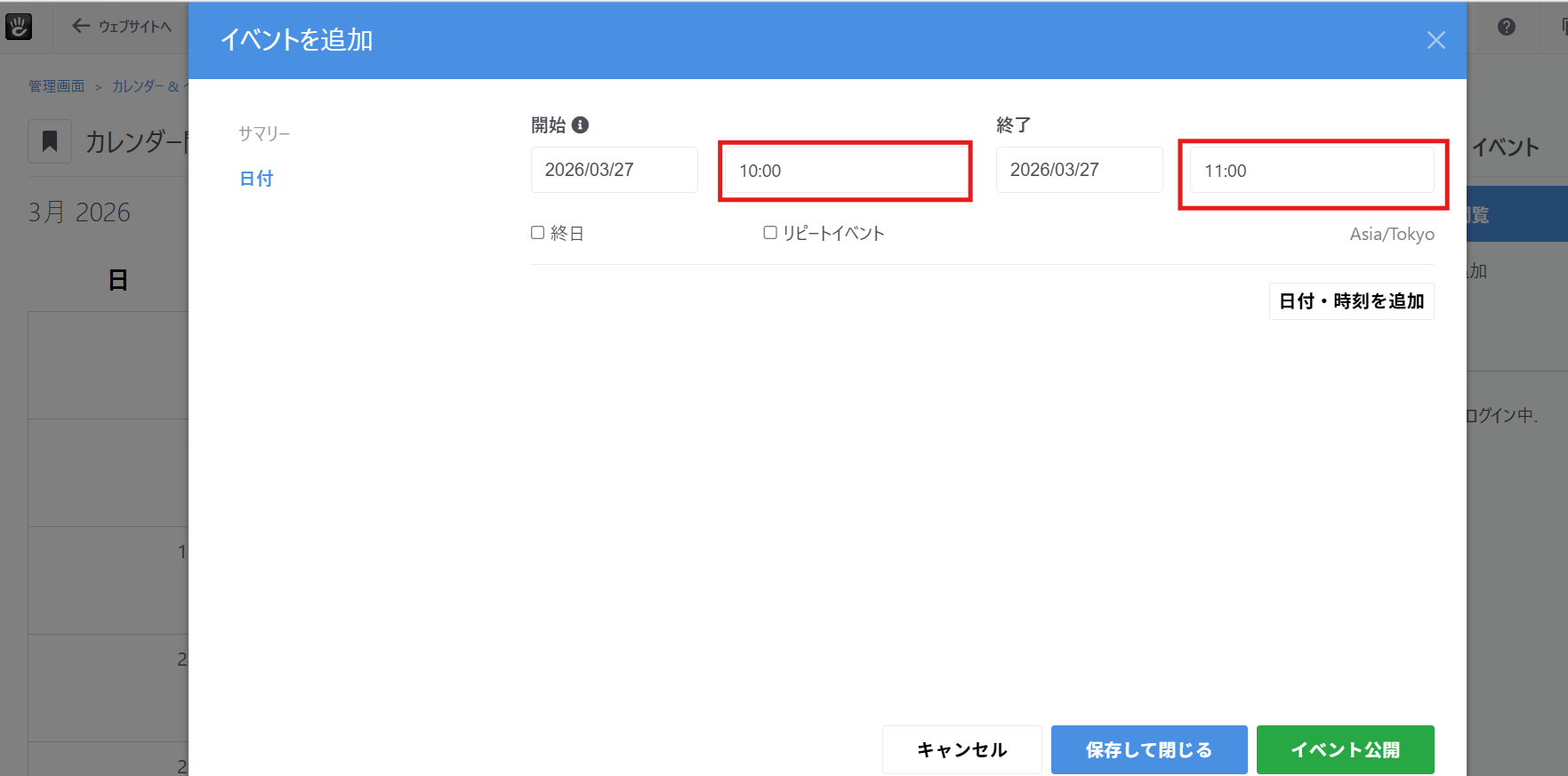
I installed a new blank site with ConcreteCMS 9.4.8 for testing, but there’s absolutely no change; the interval remains at 1 hour. (Please see the image.)
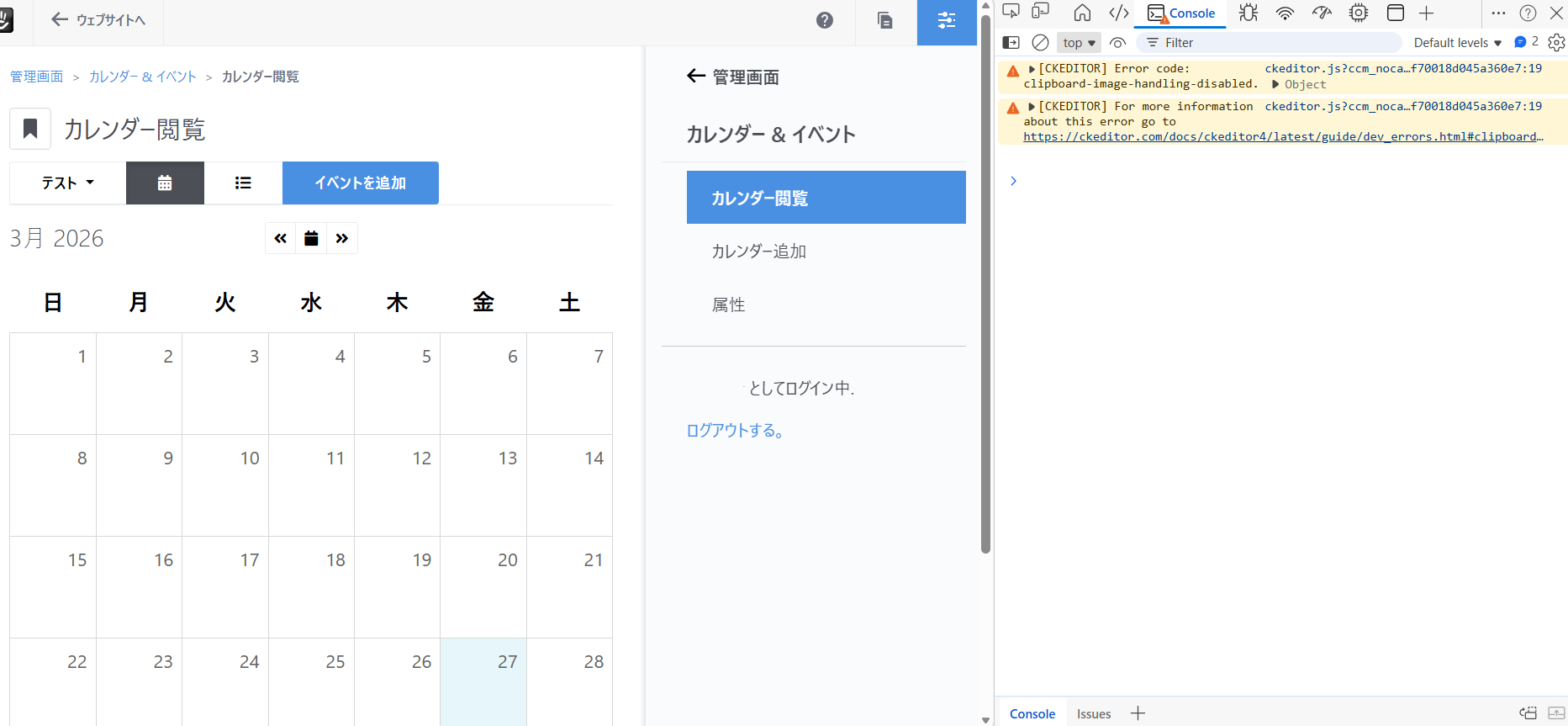
I’ve also attached a screenshot from the developer tools.
“I am close to the correct solution”… I love your optimism even when nothing has changed!! LOL
Can you right-click on the calendar page and “View page source” to confirm that the JavaScript segment is actually being added to the page? It should appear right near the top around line 40.
The developer errors/warnings are normal CKEditor stuff unrelated to this problem.